MisteRdeck MIDI Controller
Arduino / C++ 3D Printing MIDI Protocol CAD Modeling QMK Firmware

Overview & Purpose

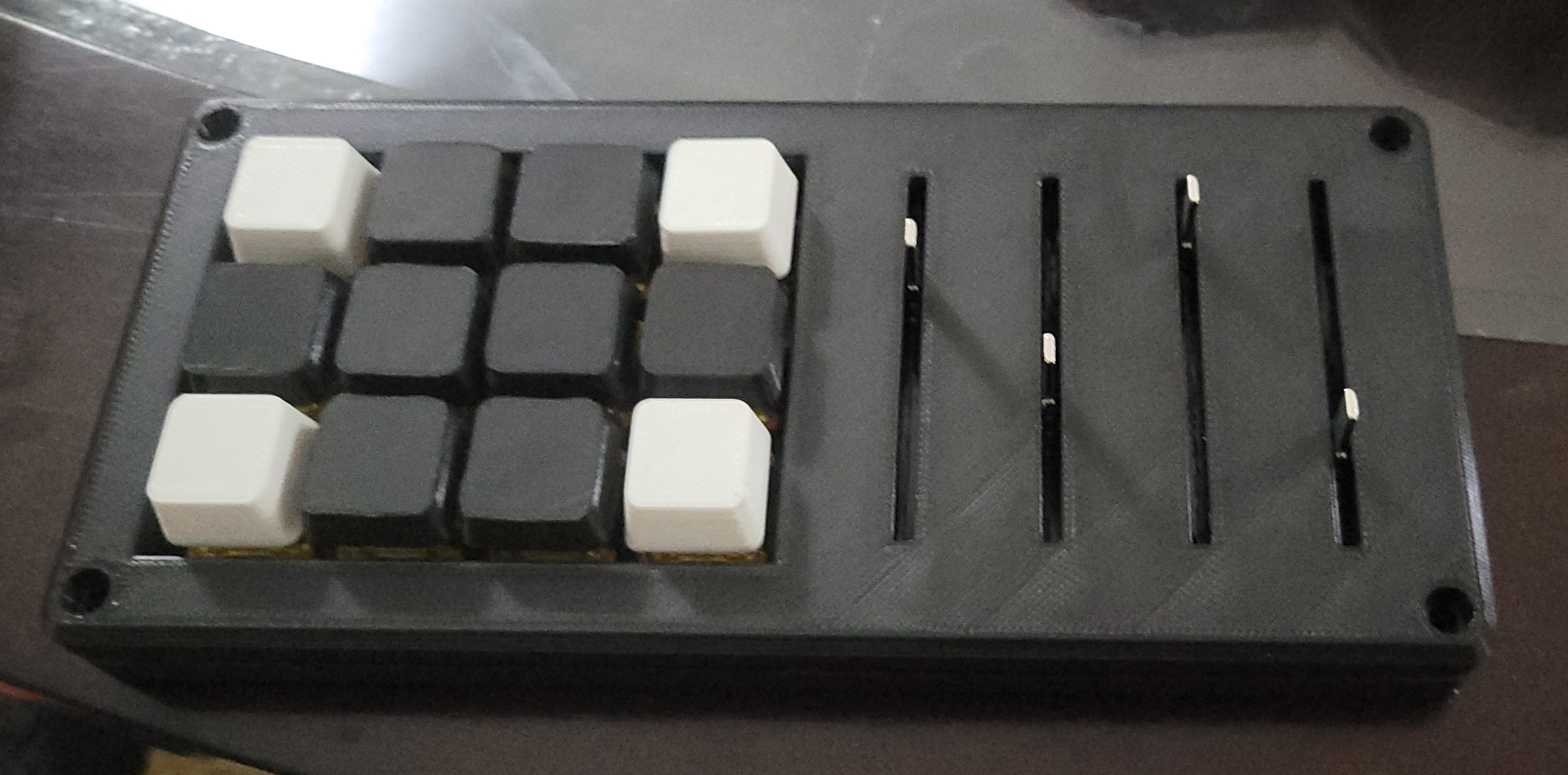
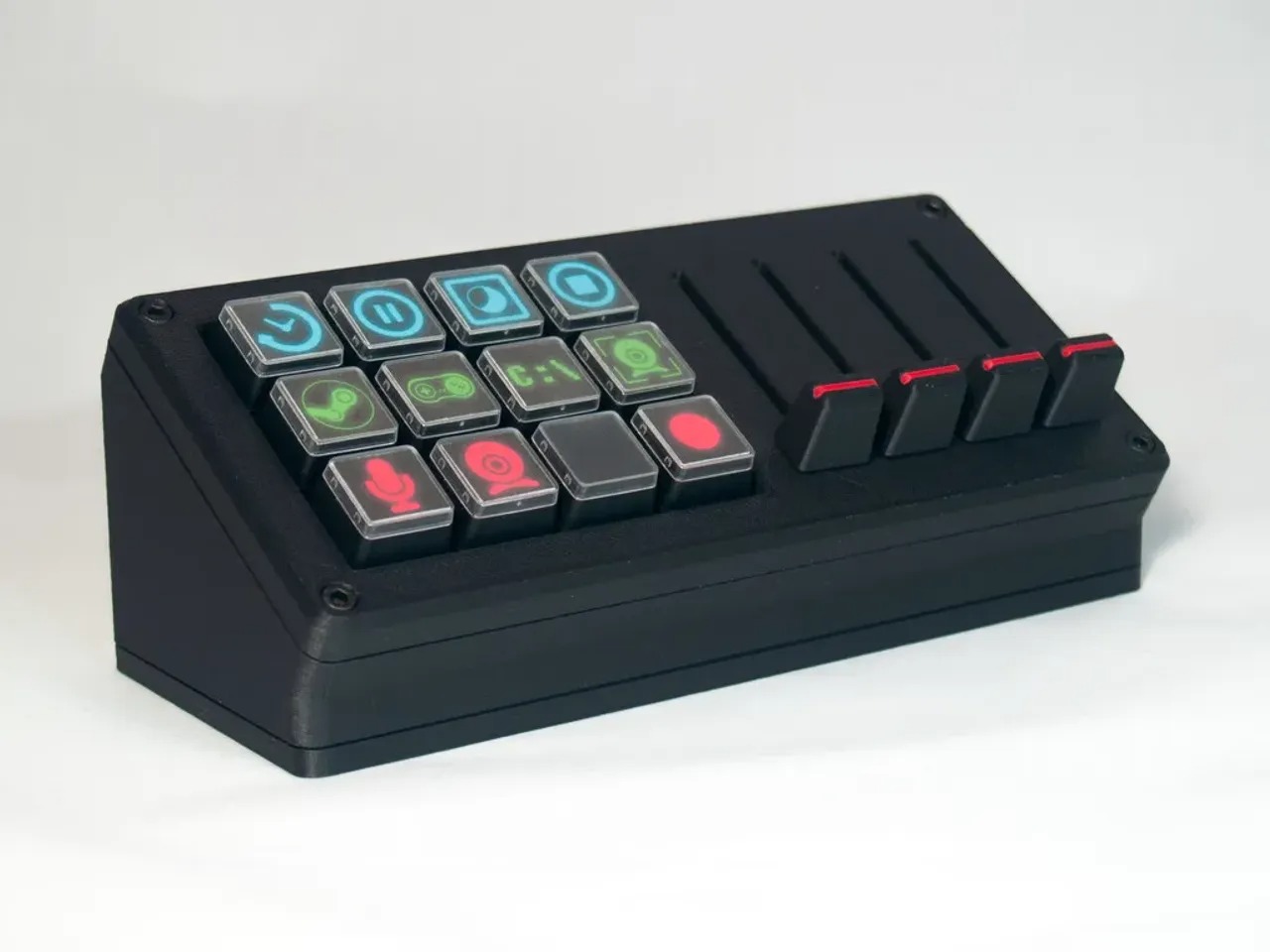
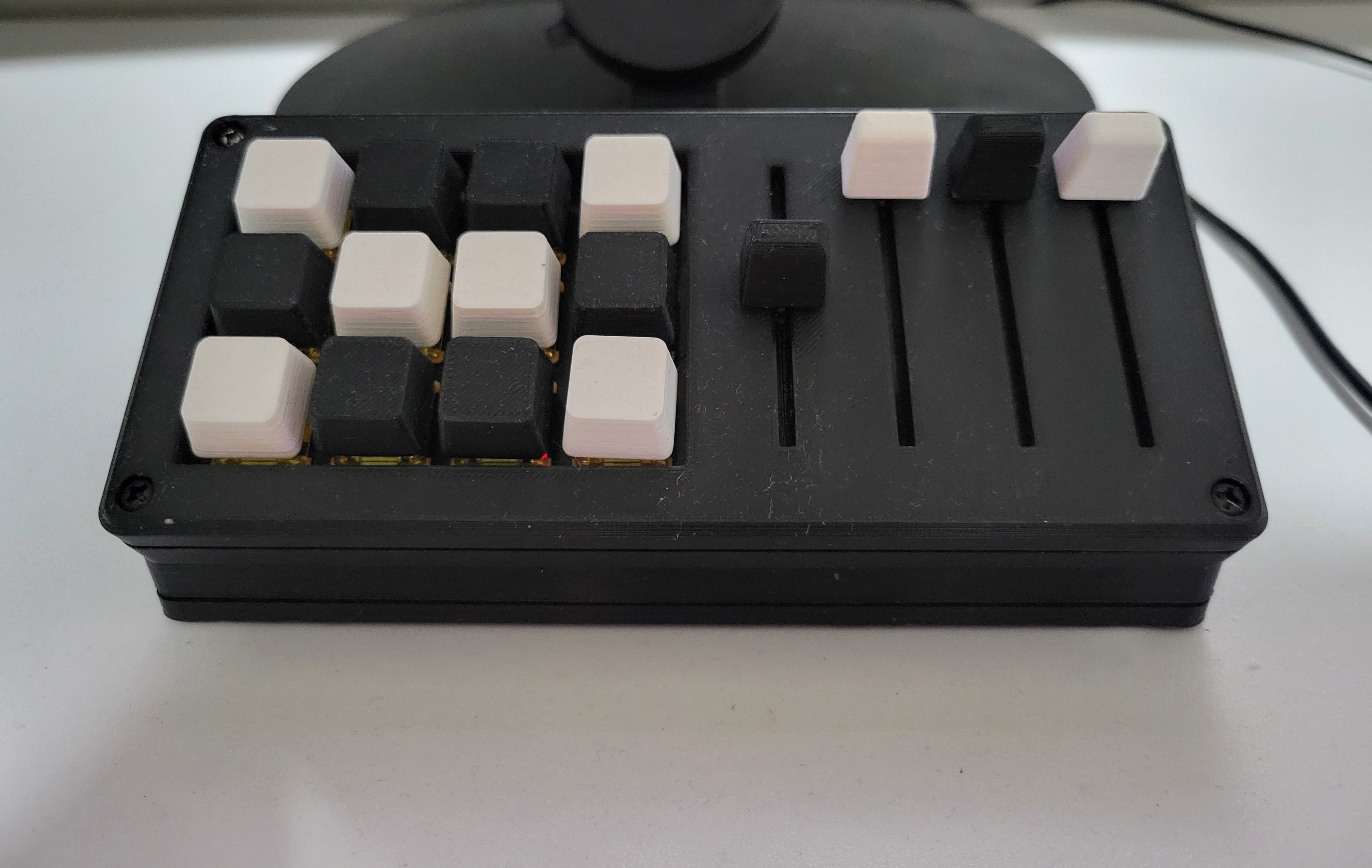
The MisteRdeck is an Arduino-based MIDI Stream Deck crafted to streamline live streaming, content creation, and music production workflows. By integrating tactile buttons and fader sliders into a compact, customizable surface, it allows users to switch scenes, trigger sound effects, and adjust audio levels without switching windows or using a mouse.

Key goals of this project:

  • Provide intuitive, hardware-based controls for OBS, Voicemeeter, and other streaming or audio software.
  • Offer an affordable, open-source alternative to expensive commercial stream decks.
  • Demonstrate hands-on experience with Arduino, QMK firmware, and custom hardware design.

Design & Development

Breadboard Prototype with Arduino and Faders

Development began with identifying user requirements: 12 buttons, 4 faders, and compatibility with popular streaming software via MIDI. From there:

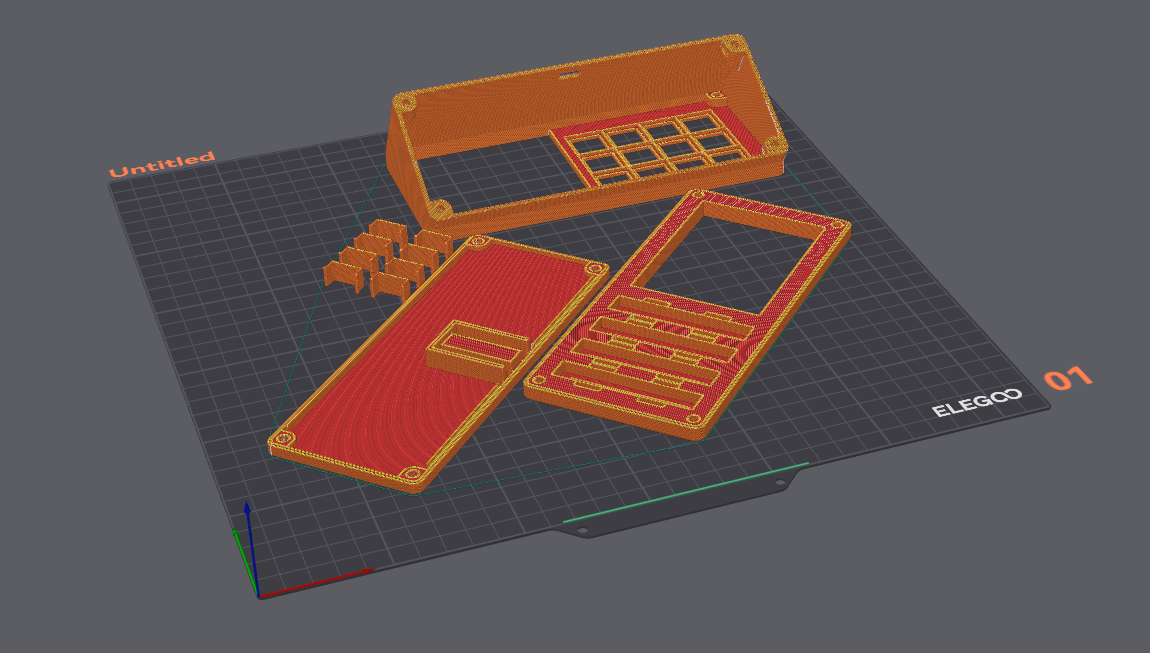
  • Enclosure Design: 3D models were provided by the original creator MattRigg on Printables. The models provided a sturdy chassis to house an Arduino Pro Micro, faders, and switches. Iterated on mounting points for easy assembly.
  • Layout: 3×4 grid of tactile buttons for scene control; four inline faders on the side for precise audio adjustments.
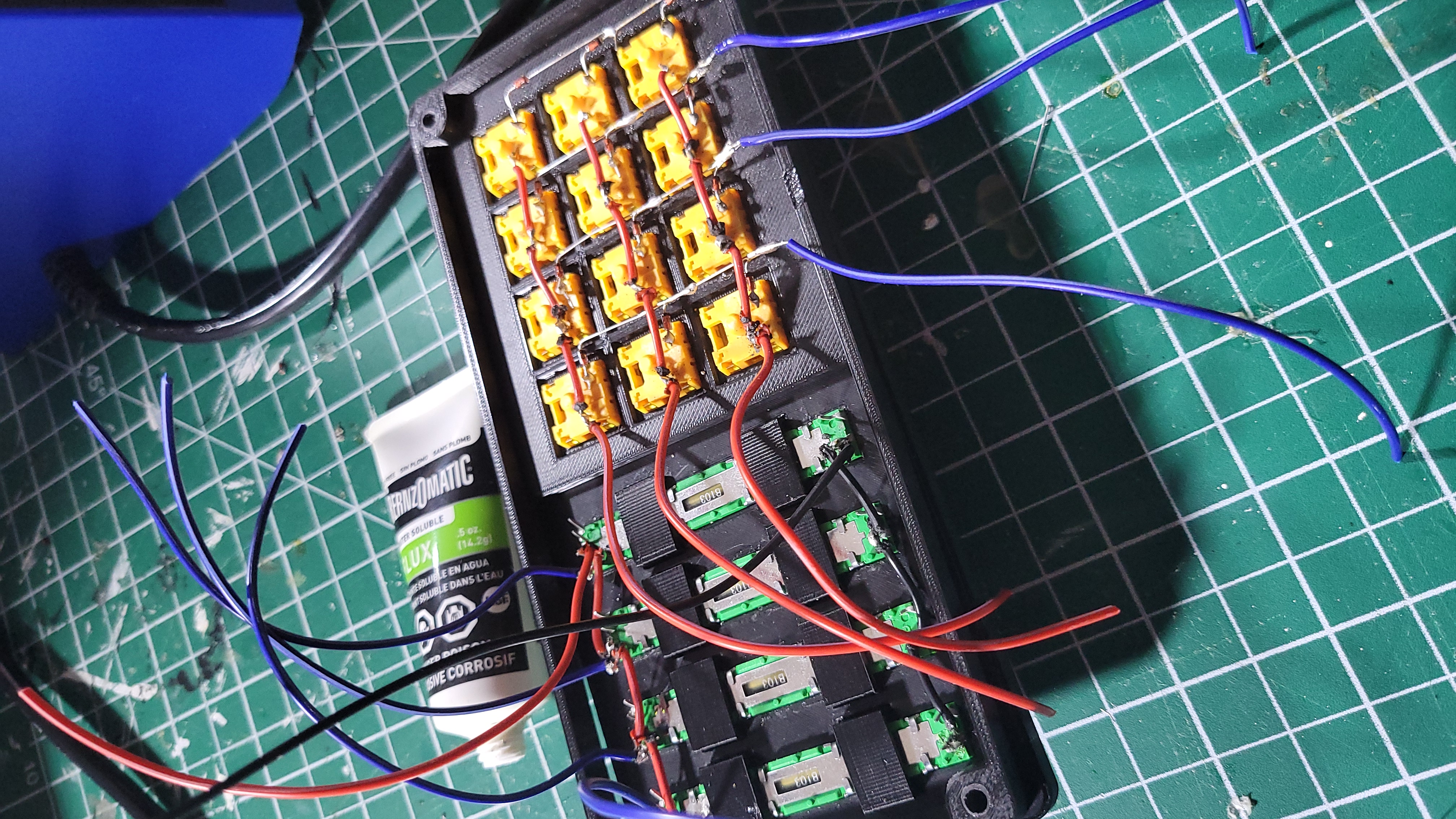
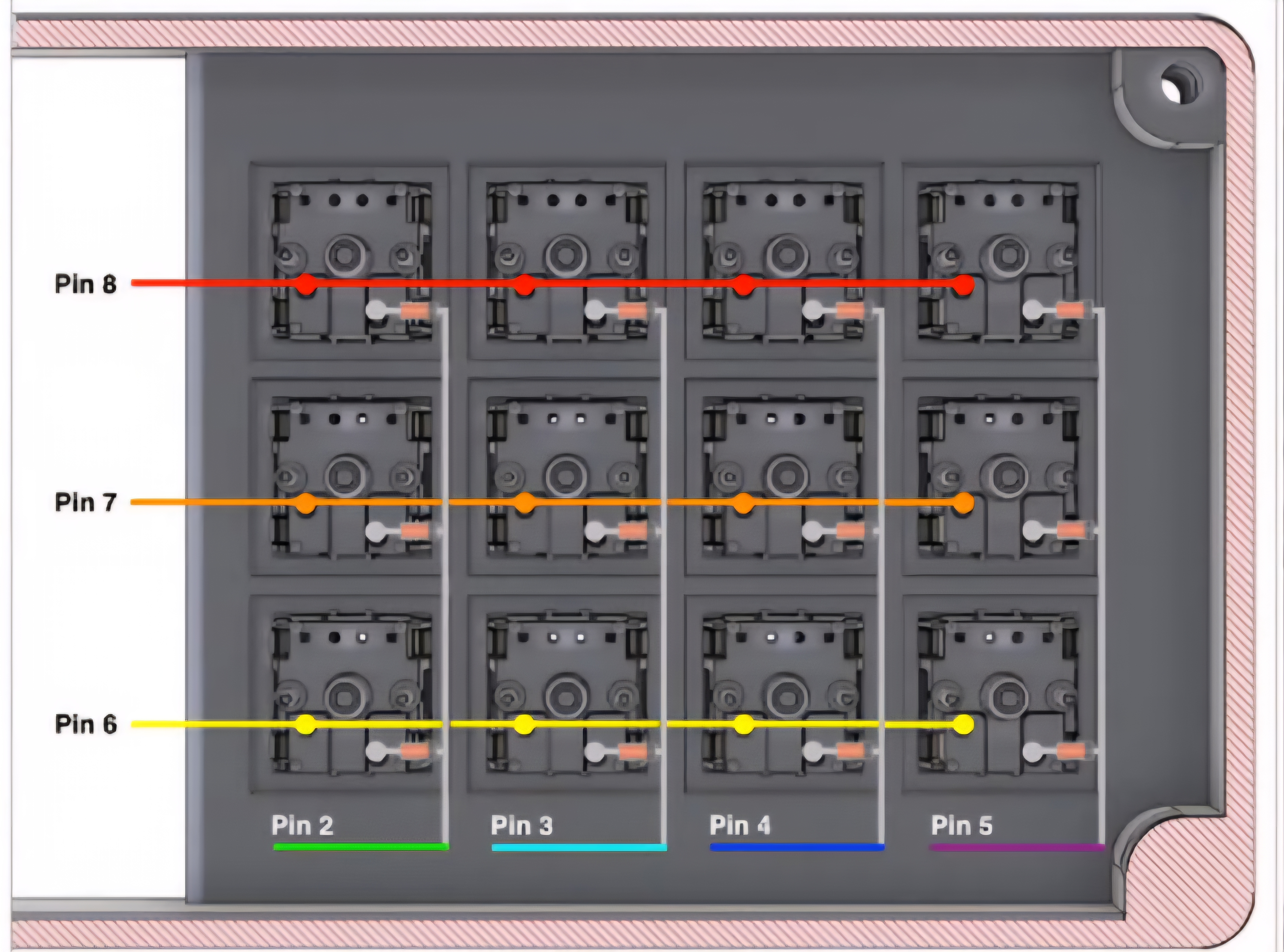
  • Electronics: Mapped wiring enabled button array scanning to use fewer pins; faders connected to analog inputs. Added diodes for debouncing.
  • Firmware: Chosen QMK/Deej for MIDI support. Developed a custom keymap assigning each button a unique MIDI CC or Note.

Challenges & Solutions:

  • Button Debounce: Initial tests showed multiple triggers. Added hardware diodes and enabled software debouncing.
  • Analog Noise: Fader readings fluctuated. Added RC filters and implemented a moving average in code.
Features & Components

  • Buttons: 12 Akko V3 Cream Yellow switches with custom 3D printed keycaps.
  • Faders: Four B10k linear slide potentiometers for smooth linear control, mounted with 3D-printed brackets.
  • Microcontroller: Arduino Pro Micro (ATmega32U4) for native USB-MIDI support.
  • Wiring: Custom brackets for buttons and faders, including internal pull-down resistors and diode footprints.
  • Soldering Jig: Used a 3D-printed jig to hold faders and switches in place for precise soldering.
Pinout Diagram

Build Process

Steps to assemble your own MisteRdeck:

1. 3D Printing

  • Print STL parts (base, cover, button clips, fader knobs) using PLA or PETG at 0.2 mm layer height. Use 20%–30% infill for rigidity.

2. Electronics Prep

  • Solder switches together to form a button array, install diodes and solder headers for Pro Micro and fader connections. Connect fader potentiometers to analog input pins.

3. Assembling Chassis

  • Connect the chassis together using M2 nylon standoffs. Snap-fit button clips, insert switches. Slide fader pots into brackets and secure.

4. Firmware Flashing

  • Download QMK or deej firmware. Modify code for custom keymapping. Compile and flash to Pro Micro.

5. Testing & Calibration

  • Open MIDI monitor. Press buttons to verify Note/CC messages. Move faders and ensure smooth 0–127 values.

Usage & Workflow

MisteRdeck Integrated with Streaming Software

Once assembled and flashed, integrate the MisteRdeck into your setup:

  • OBS Scene Control: Map buttons to switch scenes (e.g., “Stream”, “BRB”, “Ending”) via MIDI plugin.
  • Audio Mixer Integration: Assign faders to desktop audio, mic gain, or music volume in deej. Adjust without leaving main software.
  • Custom Macros: Use Bome MIDI Translator to create macros (e.g., mute all mics). Switch layers in QMK for alternate mappings.
  • DAW & Music Production: In Ableton Live, map buttons to trigger samples and faders to control effect parameters like filter cutoff.

Performance & Results

Real-world testing yielded:

  • Button Responsiveness: 1 ms polling ensures instant registration—no missed triggers during rapid changes.
  • Fader Accuracy: Analog readings within ±2 units across full range. Smooth fades without jumps.
  • Stability: Over 10 hours of continuous usage, USB-MIDI connection remained stable with no dropouts.
  • Ergonomics: Button layout allows quick access; faders offer precise audio control during mixes.
MisteRdeck Integrated with PC Software

Community & Resources

MisteRdeck Community Discussion Forum

The MisteRdeck is supported by a maker community. Resources:

Future Improvements

  • OLED Status Screen: Add OLED display for live scene names, audio levels, and fader assignments.
  • RGB Button Rings: Integrate addressable RGB rings around buttons for visual feedback: active scenes or alerts.
  • Hot-Swap Switch Modules: Design modular holders for easy swapping.
  • Wireless Connectivity: Explore Bluetooth connection for cable-free use and mobile compatibility.
  • Alternative Enclosures: Experiment with milled aluminum or laser-cut acrylic for durability and aesthetics.

These enhancements aim to expand functionality and user experience for future iterations.